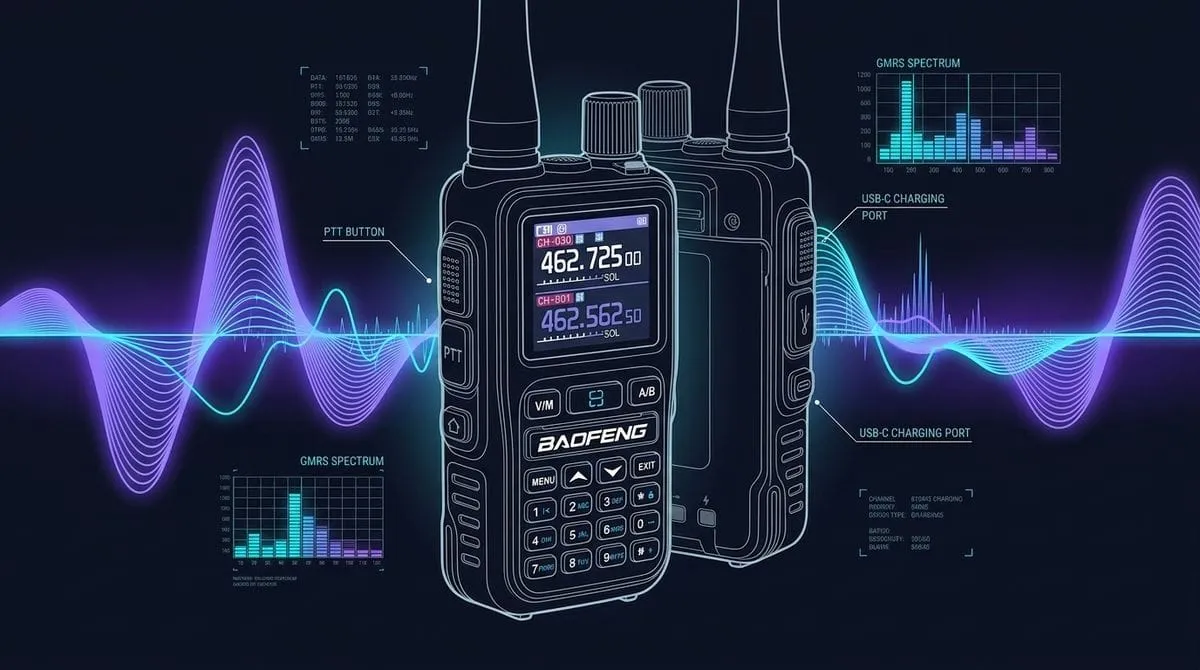
The Baofeng UV-5G Mini is one of the smallest FCC Part 95E certified GMRS handhelds available today. It packs USB-C charging, full repeater support, and broad RX scanning into a body much smaller than the standard UV-5G or classic UV-5R.
I picked up a U.S. retail unit to test how it feels in the hand, how it sounds on the air, and where the compact form factor brings trade-offs.
First Impressions & Form Factor
Holding the UV-5G Mini for the first time, the size difference stands out right away. It fits comfortably in your palm and slides easily into a jacket pocket or pack hip-belt without dragging you down.
- Weight: Noticeably lighter than full-size handhelds like the UV-5G Plus or the BTECH GMRS-PRO.
- Build Quality: Hard matte plastic shell. It feels sturdy for a budget radio, though the smaller volume knob and side buttons take a bit more thumb precision if you are wearing gloves.
- Keypad Layout & Long-Press Shortcuts: The front keypad comprises all the keys located directly below the Baofeng logo. In addition to standard numeric frequency/channel entry, Baofeng built several practical long-press shortcut actions directly into the keys:
- Press and hold
*(Star / Lock): Toggles the keypad lock on or off, or you can enable Auto-Lock (AUTLK) in the menu to lock controls automatically after a period of inactivity.- What Locks Out: Activating the lock disables the front keypad,
V/M(VFO/Memory mode switch), andA/Bband button. - Pocket & Pack Risk: The lock does not disable the flashlight button or the 3 side buttons (including PTT). Also, because unlocking simply requires pressing and holding the
*key, stuffing the radio into a tight pocket, pack hip-belt, or crowded gear bag could theoretically compress the*key and unlock the radio accidentally (though I haven’t had an accidental unlock happen yet).
- What Locks Out: Activating the lock disables the front keypad,
- Press and hold
MENU(Stopwatch): Launches a built-in on-screen stopwatch utility directly on the color display. It is a handy little tool for timing trail hikes, navigation checkpoints, or checking repeater transmit timeout timers (TOT) without digging out a smartphone. PressingEXITexits the stopwatch and returns you to standard channel standby. - Press and hold
EXIT(SCANQT/ Tone Sniffer): Switches the radio directly intoSCANQTmode. “QT” stands for Quiet Tone (Baofeng’s term for CTCSS/DCS sub-audible privacy tones). In this mode, the radio acts as an active frequency and tone sniffer: when another station transmits nearby, the Mini automatically detects their RF carrier frequency and decodes their active CTCSS or DCS sub-tone, allowing you to instantly match another radio’s settings in the field. - Press and hold
#(Pound / Scan): Instantly triggers GMRS channel scanning. - Press and hold
0(Zero / NOAA): Jumps straight to the NOAA weather band receiver.
- Press and hold
Audio Quality & Everyday Operation
Without putting the radio on an RF test bench, judging how it performs comes down to how clear it sounds on the air:
- Receive Audio: The built-in speaker is clean and legible for such a small body. Because the speaker is small, max volume is quieter than a full-size radio, but it stays clear without buzzing or distorting.
- Transmit Audio: Microphone pickup is crisp when you talk 2–3 inches away from the mic hole.
- Squelch & Tail Noise: The squelch cuts off cleanly without a harsh pop when the other station stops transmitting.
Scanning Capabilities & Band Coverage
Scanning on the UV-5G Mini works great for GMRS, but broad-band scanning comes with noticeable limitations:
-
GMRS Channel Scanning: Pressing and holding the
#(Pound / Scan) key immediately starts scanning. Scanning standard GMRS channels works very well, and you can set up scan parameters (like time-operated vs. carrier-operated resume) and exclude specific channels easily. -
One-Key Frequency & Privacy Tone Capture (
SCANQT): Pressing and holding theEXITkey switches the radio intoSCANQTmode. If you are out in the field and need to communicate with a friend’s radio with unknown channel or CTCSS/DCS tone settings, you don’t have to guess or manually test 50 different tones in the menu. ActivateSCANQTand have the other station transmit for 1–2 seconds nearby; the UV-5G Mini will quickly detect the RF carrier frequency and decode the active sub-audible privacy tone so you can match their settings immediately. -
FM Commercial Radio & Background GMRS Standby: Listening to commercial FM broadcast radio works great while tuned to a GMRS channel. The receiver covers 76–108 MHz, so the whole U.S. band and then some. The radio runs background standby on your active GMRS frequency while playing music or news.
- Single-Channel Background Standby: When FM broadcast radio is active, the receiver only monitors one single fixed GMRS channel in the background. It cannot scan across multiple GMRS channels while playing FM radio.
- Automatic GMRS Override: The moment any incoming GMRS signal or call breaks squelch on that monitored channel, the radio instantly cuts the FM broadcast audio and switches over to play the live GMRS transmission so you never miss a call. Once the GMRS call ends and squelch closes, it switches back to FM radio.
- GMRS Active Signal Lockout: If an active GMRS transmission or static is currently breaking squelch on your channel, the radio will not let you switch over to FM broadcast mode until the GMRS frequency goes clear and squelch closes.
- Scan Mode Lockout: You cannot turn on FM broadcast radio while actively scanning GMRS channels. You must pause channel scanning and sit on a single fixed channel before switching to FM radio.
-
NOAA Weather Channels (No Automatic Weather Alerts): Pressing and holding the
0(Zero / NOAA) key quickly switches the radio into NOAA weather mode, where you can manually tune and listen to standard weather broadcasts (162.400–162.550 MHz). However, per official documentation, the UV-5G Mini does not support automatic NOAA Weather Alerts (auto-tone alert standby decoding). Additionally, turning on NOAA weather mode takes over the entire display screen—unlike FM broadcast radio mode, weather listening is completely exclusive, meaning there is no way to monitor GMRS channels in the background while listening to NOAA weather. -
Airband & AM Mode Limitations: Despite broad frequency coverage listings online, there is no way to switch modulation modes to AM (Amplitude Modulation). Civil aviation/airband traffic (108–137 MHz) uses AM—because the radio is locked to FM demodulation and lacks custom airband scan range setups, you cannot monitor aircraft or airport tower traffic. (Also, even if airband reception were supported, background monitoring would likely be restricted to a single channel just like FM broadcast mode, though that remains unverified).
The First Upgrade: Ditch the Stock Antenna
Replacing the stock antenna is the very first thing you should do after unboxing the UV-5G Mini.
What Ships in the Box (3 Included Antennas)
The retail kit I ordered from Amazon shipped with three different antennas included right in the package:
- Stock Medium Antenna: The default middle-sized stubby antenna attached out of the box.
- Longer Flexible Whip Antenna: A longer whip antenna included in the box.
- Ultra-Short Compact Antenna: A third short antenna with no printed frequency specs in the box.
Note on 3-Band Labeling: Two out of the three included antennas explicitly list 3-band coverage on the packaging (FM Broadcast: 87–108 MHz, VHF RX: 136–174 MHz, UHF RX & GMRS TX: 400–520 MHz).
Hands-On NOAA Listening Test (3-Antenna Comparison)
I tested all three factory antennas side-by-side listening to a local NOAA weather broadcast (162 MHz) and compared them against a compact aftermarket Nagoya antenna:
- Stock Medium Antenna (Best Factory Option): The stock middle-sized antenna easily performed best out of the three included options. It was the only factory antenna that sounded anywhere close in clarity to even the smallest Nagoya antenna.
- Ultra-Short Antenna (Unstable Signal): You can hear the NOAA broadcast, but moving the radio even slightly causes the signal to cut out completely.
- Longer Flexible Whip Antenna (Lacks Clarity): Surprisingly, despite its extra length, it did not sound as clear or legible as the stock medium-sized antenna.
Antenna Recommendation: Buying an upgraded GMRS-tuned antenna (like a Nagoya NA-771G or NA-701G; see our Nagoya GMRS Antenna Comparison Guide) right away remains my top recommendation. However, if you decide to stick with the factory kit antennas for now, stick with the stock medium-sized antenna—it clearly outperforms both the short and long factory options included in the box.
Why You Still Need an Upgrade
To my untrained eye, these included factory antennas look much more like generic dual-band amateur (ham) antennas (tuned around 144/430 MHz) rather than true GMRS antennas tuned specifically for 462/467 MHz. This makes me seriously question their actual tuning and performance on GMRS.
I don’t currently have an SWR meter or NanoVNA to test VSWR curves and scientifically verify their resonant frequencies, so I can’t give you hard lab bench numbers. But basic math raises red flags: while I’m sure the factory antennas aren’t terrible for close-range line-of-sight chatter, I have serious doubts about their quality when the entire radio kit cost under $50 total, while a single legitimate Nagoya GMRS antenna runs $15 to $20 for just one.
None of the included factory options match the tuning, gain, or efficiency of a dedicated GMRS aftermarket antenna. Upgrading to a tuned antenna eliminates scratchy transmissions and significantly improves your simplex range.
The Math on the Upgrade
A pair of UV-5G Mini radios costs under $50. Upgrading to a pair of quality GMRS-tuned antennas (like a pair of Nagoya NA-771G or NA-701G SMA-Female antennas) runs about $40 for the pair.
Paying almost as much for replacement antennas as you did for the radios might look strange at first, but it makes a massive difference:
- Gain & Efficiency: The stock stubby antenna chokes performance. A tuned Nagoya antenna immediately pulls in cleaner signals and extends your usable simplex range.
- Total Value: Spending $90 total for two upgraded, ready-for-the-trail handheld setups is still a great deal.
Antenna Weight & Desktop Stability (3D-Printed Stands)
Out of the box, the flat battery base lets the UV-5G Mini stand upright on a table. But once you screw on a longer, heavier whip or tactical ribbon antenna, the radio becomes top-heavy and tips over easily.
If you plan to use a tactical or long antenna while sitting at a desk, workbench, or camp table, grab a 3D-printed radio desktop stand. You can find free 3D print models on Printables or Thingiverse, or buy pre-printed stands on Etsy that give the small body a wider base so it stays upright.
Programming & 3rd-Party Software (CHIRP)
The UV-5G Mini advertises wireless Bluetooth programming through a mobile app. Bluetooth sounds convenient in theory, but in practice the smartphone app layout is frustrating and messy to use.
Save yourself the headache: buy a physical programming cable instead.
- Cable Options: Standard Baofeng K-plug programming cables come in both USB-A and USB-C models, so you can plug directly into modern laptops or tablets without adapters.
- App-Exclusive Settings: Even though the mobile app layout is clunky, a few settings seem to be only accessible through the app and missing from the onboard keypad menu. For instance, options like “Channel Display Way” (selecting whether to show channel name, number, or frequency) and “Work Mode A” are app-only toggles. There may be a few more hidden toggles as well, as I haven’t finished testing every sub-menu yet.
- CHIRP Compatibility (Requires Firmware v0.05): 3rd-party programming in CHIRP Next works without any issues, but in my testing it specifically requires firmware v0.05. Reading the radio, uploading custom channel names, and setting repeater CTCSS/DCS tone profiles all apply cleanly over a standard K-plug cable.
- Check Your Firmware First: Before connecting to CHIRP, open the radio menu and check
Radio Infoto confirm your firmware version. - What If Your Radio Isn’t on v0.05? My test unit ordered from Amazon came with v0.05 installed right out of the box. Because Baofeng does not publish public firmware downloads, you can’t flash an older radio yourself. If your radio shipped with an older firmware build and refuses to talk to CHIRP, your options are to reach out to Baofeng support, use Baofeng’s official factory CPS software, or return and re-order the radio hoping for a unit from a newer production run with v0.05.
- Check Your Firmware First: Before connecting to CHIRP, open the radio menu and check
U.S. Firmware Quirks & Menu Behavior
Like most recent Baofeng radios sold in the U.S., the firmware is locked down to satisfy FCC Part 95E rules.
- Factory 30-Channel Mapping (23–30 vs. 15R–22R): Out of the box, the radio lists 30 factory channels. Channels 1–22 cover standard simplex channels, while Channels 23–30 map to the 8 GMRS repeater channels. This trips up newcomers because repeater sites like myGMRS and RepeaterBook label repeater channels as
15Rthrough22R(or15-RPto22-RP). On this radio, Channel 23 is 15R, Channel 24 is 16R, up through Channel 30 for 22R. - Asymmetrical Privacy Tone Setup Requires CHIRP: The onboard keypad menu and factory vendor/Bluetooth software tie transmit (
T-CTCS/T-DCS) and receive (R-CTCS/R-DCS) tones together, forcing them to match. However, if you need an asymmetrical or split tone setup (such as setting a transmit PL tone like141.3 Hzto open a repeater input while leaving the receive toneOFFor setting a different tone), you can configure asymmetrical tones using CHIRP Next. Programming over a K-plug cable in CHIRP successfully bypasses the vendor software’s tone-tying limitation. - Incomplete Standard CTCSS (PL) Tone List: The radio’s firmware does not include the full list of standard EIA/TIA CTCSS (PL) tones. Because several standard access tones are omitted from the firmware’s selectable options, any repeater that requires one of those missing tones for access cannot be keyed up or accessed using this radio.
- Dual Watch vs. True Dual Receive: The radio supports Dual Watch (monitoring two channels, A and B, on screen), but it does not have true dual receivers. It relies on a single receiver circuit that rapidly switches back and forth between Channel A and Channel B. When an active transmission breaks squelch on one channel, the radio locks onto it and ignores the other channel until the call finishes. You cannot hear or receive audio on two channels at the same time.
- Menu Organization vs. Non-Standard Terms: The onboard menu is organized well enough to scroll through, but Baofeng doesn’t use the standard terminology you see on repeater directories. For example, privacy tone settings show up as
R-CTCSandT-CTCSinstead of standard terms, so keep a quick translation guide handy when setting up a repeater from a listing online. - Frequency Limits & Lockouts: The radio scans wide RX bands, but transmitting is locked strictly to GMRS channels. Trying to enter out-of-band frequencies (like 224.500 MHz) in VFO mode throws a “Cancel” warning on the screen.
- Repeater Capability: Channels 23–30 are pre-programmed with the standard +5.000 MHz offset and ready for CTCSS/DCS access tones. Keep in mind that actually hitting a repeater with a 5W handheld requires having an active, open local repeater within line-of-sight signal range.
- No End-User Firmware Updates: Baofeng does not offer public firmware downloads or flashing utilities. While Baofeng updates firmware internally, those changes only go into new factory production runs. What ships on the chip is what you keep—if user-upgradable firmware matters to you, Baofeng radios are not a good fit.
The Baofeng Model Naming Chaos
Baofeng model numbers are notoriously confusing. Model names are all over the place, and seeing a higher number like UV-9, UV-25, or UV-29 does not mean it is a GMRS radio, nor does a higher number mean it’s newer or better.
This naming mess is a classic trap for newcomers:
- A
UV-5Ris an amateur (ham) radio and is not legal to transmit on GMRS. - A
UV-5G(and thisUV-5G Mini) is FCC Part 95E certified for GMRS use. - Other
UV-numbered models on Amazon are often ham-only, FRS-only, or uncertified radios under similar names.
Before picking up any Baofeng radio for GMRS, check out our Baofeng GMRS Handheld Comparison Guide to see which models are actually Part 95E certified and what features they carry.
Battery Life & USB-C Charging
The best feature on the Mini is the direct USB-C port built right into the back of the battery pack.
- Direct USB-C Charging: Plug a USB cable directly into the battery pack—no proprietary desktop charging cradle required in your vehicle, pack, or home.
- Cable & Power Block Compatibility: Testing confirms the battery charges using both USB-A to USB-C and USB-C to USB-C (C-to-C) cables. Unlike cheaper budget radios that choke on C-to-C cables due to missing pull-down resistors, the UV-5G Mini charges fine off modern USB-C power blocks and laptops. USB Power Delivery (USB PD) fast-charging protocol is not supported.
- Measured Charging Rates: Power meter testing shows the battery draws 5.1V at 0.9A (~4.6W charging rate). It draws this same 5.1V / 0.9A rate consistently whether the radio is powered ON or OFF.
- Battery Life Expectations: In casual day-to-day use sitting on a desk and monitoring local channels, the 1600 mAh battery pack easily gets you through a normal day of standby and light listening. But with a physically smaller 1600 mAh capacity than full-size 2500 mAh handhelds, heavy transmitting or all-day active scanning will drain it noticeably faster. Fortunately, the direct USB-C port makes it effortless to top off from a power bank or vehicle charger without carrying a bulky charging cradle.
Pros & Cons
What Works Well
- Ultra-Compact Form Factor: Easy to carry on hikes, camping trips, or in a glove box.
- Direct USB-C Charging: Easy to charge in cars or off portable power banks.
- Good GMRS & FM Scanning: Scans GMRS channels and commercial FM radio smoothly with flexible scan resume settings.
- Full Repeater Support: Fully capable of split-frequency repeater operation with CTCSS/DCS tone settings.
- Handy Long-Press Shortcuts: Built-in stopwatch (hold
MENU),SCANQTfrequency and sub-tone sniffer (holdEXIT), instant weather (hold0), and quick channel scanning (hold#) give fast physical access to common field utilities. - CHIRP Compatible (Requires Firmware v0.05): Supported in CHIRP Next via K-plug cable on firmware v0.05 (check under
Radio Info). Radios with older firmware may require factory CPS software or an exchange.
Where It Falls Short
- No Automatic NOAA Weather Alerts: Manual NOAA tuning works, but lacks automatic weather alert tone decoding/standby.
- No AM Mode / Airband Scanning: Lacks AM mode switching and custom aviation/airband scan ranges.
- Asymmetrical Privacy Tone Setup Requires CHIRP: Transmit and receive tones are tied together on the keypad menu and vendor/Bluetooth software, requiring CHIRP Next to configure split/asymmetrical tone profiles.
- Incomplete PL Tone Selection: The firmware omits several standard CTCSS access tones, making repeaters that require those missing tones inaccessible.
- Stock Antenna Performance: The stock stubby antenna chokes range—swapping it right away for a tuned Nagoya (NA-771G/NA-701G) is well worth it.
- Clunky Bluetooth App: The smartphone app interface is messy. Skip the headache and use a USB-A or USB-C programming cable with CHIRP.
- No User Firmware Flashing: Firmware updates only happen during new factory production runs; there are no end-user updates.
- Small Controls: Volume knob and side buttons are tight, making operation tricky with thick gloves.
- Battery Capacity: 1600 mAh battery is smaller than full-size handhelds, requiring top-ups on long active days.
Verdict
The Baofeng UV-5G Mini is a great little starter radio if you are just dipping your toes into GMRS or want a low-cost way to test the waters and answer “Is GMRS worth it?” or “Will I actually like using radios?” It delivers convenient USB-C charging, ultra-compact portability, and solid basic GMRS performance for under $50 for a two-radio kit.
That said, be realistic about its limits: most active operators will outgrow it very quickly. Between the smaller battery capacity, stock antenna choke, messy Bluetooth app, and lack of AM mode scanning, you will likely find yourself eyeing a full-size handheld or mobile rig once you start using GMRS regularly.
If you do buy a set, just plan to spend an extra ~$20 per radio for an upgraded Nagoya antenna right out of the gate. Even if spending $40 on antennas for a $50 pair of radios looks steep at first glance, the jump in audio clarity and range makes it 100% worth the investment.
Key Takeaways
The Antenna Upgrade is Essential
The stock factory antennas severely limit the radio’s receive clarity and simplex range. Pairing the radio with a tuned Nagoya (NA-771G or NA-701G) makes an immediate night-and-day difference.
Check Firmware for CHIRP
Programming with CHIRP Next requires firmware version v0.05 (verified under Radio Info in the menu). Use a physical K-plug cable rather than fighting the Bluetooth smartphone app.