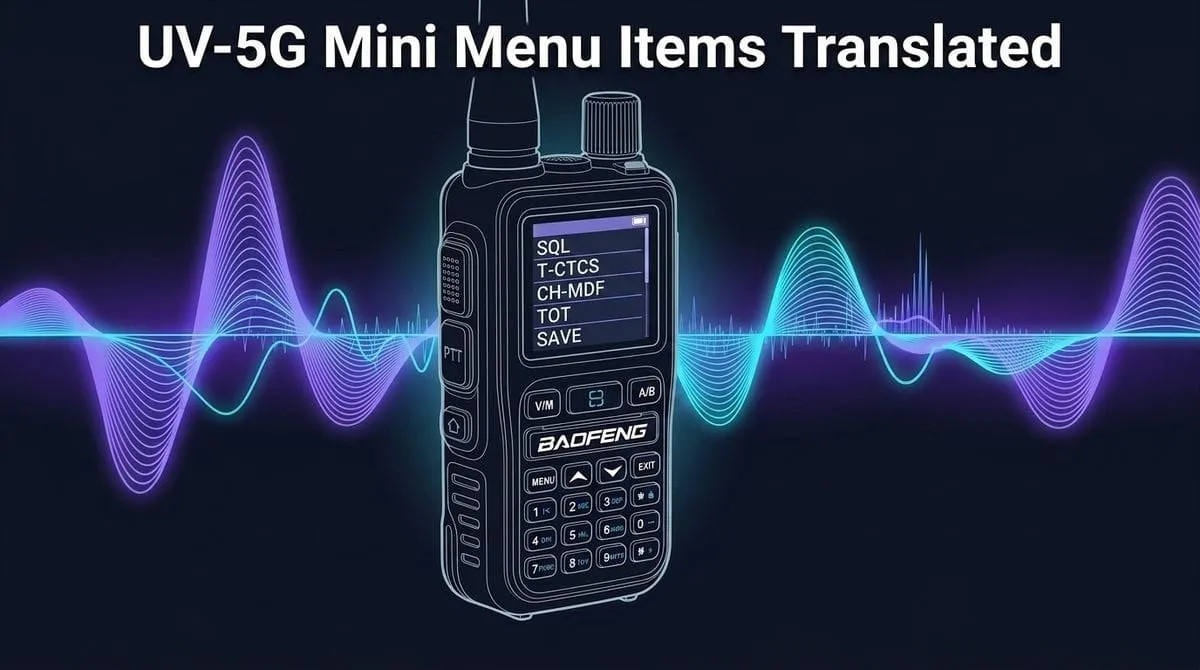
When you open the menu on a Baofeng UV-5G Mini for the first time, you are greeted by dozens of cryptic four-letter abbreviations: SQL, SC-REV, TDR, R-CTCS, PTT-ID, CH-MDF, and AUTLK.
The included paper manual explains what buttons to push, but it doesn’t explain why you would touch a setting or what actually happens when you change it.
This notebook reference translates every UV-5G Mini menu item into plain English. It highlights the handful of settings that actually matter for everyday GMRS operation, provides a cross-platform Rosetta Stone for CHIRP and myGMRS repeater directories, and flags advanced options best left alone.
Learning GMRS in public: I write these guides as I learn, test gear at retail, and document real-world radio operation. While I’ve verified every menu setting against a retail UV-5G Mini and the factory manual, firmware differences exist across production batches. If you spot an error, oversight, or find that your firmware behaves differently, please send a quick note through the contact form so I can update this reference for everyone!
01 · The 60-Second Cheat Sheet
Sane Beginner Baseline
If you just took your UV-5G Mini out of the box and want a solid starting point, here are the core settings that matter on Day 1:
| Setting | Suggested Value | What It Actually Does |
|---|---|---|
| SQL (Squelch) | Level 2 or 3 | Mutes background static. Level 2 opens reliably for weak signals without buzzing constantly. |
| SAVE (Power Save) | ON | Puts receiver into light sleep cycles while waiting for a call to stretch battery life. |
| VOX (Voice Transmit) | OFF | Keep OFF. Background wind or breathing will accidentally key up the transmitter. |
| TOT (Time-Out Timer) | 60s – 120s | Safety cutoff that stops transmitting if the PTT button is held down by accident in a pack. |
| ROGER (Roger Beep) | OFF | Sends an annoying chirp at the end of every transmission. Keep it off. |
| AUTLK (Auto Keypad Lock) | ON | Locks front keys after 8 seconds so bumping keys in your pocket won’t change channels. |
| T-CTCS / T-DCS (TX Tone) | Per Repeater Listing | The access key needed to open a local repeater. Leave OFF for standard simplex channels. |
| R-CTCS / R-DCS (RX Tone) | OFF (Default) | Mutes your speaker unless an incoming call has this exact tone. Leave OFF to hear all traffic. |
| CH-MDF (Display Mode) | NAME or FREQ | Switches whether the screen shows custom channel names (like `TRAVEL`), frequencies, or numbers. |
📻 The GMRS Repeater Rosetta Stone
When looking up a repeater on myGMRS or RepeaterBook, the directory listings use different names than the Baofeng onboard menu or CHIRP Next. Use this quick translation matrix to map the terms directly:
| Function / Purpose | UV-5G Mini Menu | Classic Baofeng | CHIRP Next Field | myGMRS / RepeaterBook Term |
|---|---|---|---|---|
| Transmit Access Tone | TX CTCSS (Menu 8) | T-CTCS | Tone (rToneFreq) | Uplink Tone / Input Tone / CTCSS |
| Transmit Digital Code | TX DCS (Menu 9) | T-DCS | DTCS Code | Uplink DPL / Input DCS |
| Receive Speaker Filter | RX CTCSS (Menu 6) | R-CTCS | ToneSql | Downlink Tone / Output Tone |
| Receive Digital Filter | RX DCS (Menu 7) | R-DCS | Dtcs (Rx Dtcs) | Downlink DPL / Output DCS |
| Repeater Frequency Offset | OffSet (Menu 16) | OFFSET | Offset (5.000000) | +5.000 MHz Offset |
| Offset Shift Direction | Direction (Menu 17) | SFT-D | Duplex (+) | Positive Shift (+) |
| Channel Display Mode | CH-MDF (Menu 12) | MDF-A / MDF-B | Display Mode | Name / Frequency / Channel |
| Scan Resume Method | Scan Mode (Menu 2) | SC-REV | TO / CO / SE | Time / Carrier / Search |
🗺️ Baofeng 30-Channel Mapping vs. 15R–22R Repeater Channels
Out of the box, the radio comes pre-programmed with 30 factory memory channels. Channels 1–22 cover standard simplex channels, while Channels 23–30 map directly to the 8 GMRS repeater pairs:
| Radio Channel | GMRS Repeater Channel | Receive (RX) / Downlink | Transmit (TX) / Uplink (+5 MHz) | Factory Offset |
|---|---|---|---|---|
| Channel 23 | 15R (15-RP) | 462.5500 MHz | 467.5500 MHz | +5.000 MHz Pre-configured |
| Channel 24 | 16R (16-RP) | 462.5750 MHz | 467.5750 MHz | +5.000 MHz Pre-configured |
| Channel 25 | 17R (17-RP) | 462.6000 MHz | 467.6000 MHz | +5.000 MHz Pre-configured |
| Channel 26 | 18R (18-RP) | 462.6250 MHz | 467.6250 MHz | +5.000 MHz Pre-configured |
| Channel 27 | 19R (19-RP) | 462.6500 MHz | 467.6500 MHz | +5.000 MHz Pre-configured |
| Channel 28 | 20R (20-RP) | 462.6750 MHz | 467.6750 MHz | +5.000 MHz Pre-configured |
| Channel 29 | 21R (21-RP) | 462.7000 MHz | 467.7000 MHz | +5.000 MHz Pre-configured |
| Channel 30 | 22R (22-RP) | 462.7250 MHz | 467.7250 MHz | +5.000 MHz Pre-configured |
02 · App-Exclusive Settings Warning
Missing Keypad Menu Items: In our hands-on UV-5G Mini review, we discovered that certain settings do not exist anywhere on the physical keypad menu and are only accessible through the Bluetooth mobile app or CHIRP Next software:
- “Channel Display Way”: Configuring independent display modes (Name vs Frequency) per line.
- “Work Mode A / B”: Switching between VFO frequency mode and MR channel memory mode on individual display lines.
- Asymmetrical Tone Setup: Keypad menus tie transmit and receive tones together. Use CHIRP Next over a K-plug cable if you need a split/asymmetrical tone profile.
- Incomplete PL Tone List: The firmware omits several standard EIA/TIA CTCSS tones. If a local repeater requires one of those missing tones, it will be inaccessible on this radio.
If you cannot find these toggles while scrolling through the radio keypad, don’t worry—you aren’t missing a hidden sub-menu. Connect a physical K-plug cable with CHIRP Next or open the smartphone app to change them.
03 · Step-by-Step: Programming a Local Repeater From the Keypad
If you have a local repeater listing from myGMRS (for example, a repeater on Channel 20R requiring an input tone of 141.3 Hz), here is the exact 4-step recipe to program it directly on the radio keypad:
- Select the Repeater Channel: Using the keypad or up/down arrows, select your pre-programmed repeater channel (for 20R, select Channel 28).
- Set Transmit Access Tone (
TX CTCSS/ Menu 8): PressMENU→ scroll toProgram Channel→ selectTX CTCSS(Menu 8) → enter your repeater’s tone (e.g.141.3) → pressMENUto save. - Verify Receive Tone is OFF (
RX CTCSS/ Menu 6): OpenRX CTCSS(Menu 6) and set it toOFF. This guarantees your speaker will unmute for all incoming transmissions on that repeater. - Key Up & Announce Callsign: Press PTT, announce your FCC callsign (e.g., “WSNY332 listening on the 675 repeater”), release PTT, and listen for the repeater’s carrier drop or courtesy beep.
04 · Plain-English Breakdown of Core Settings
Audio, Noise & Static Control
- SQL · Squelch Level (Menu 2 under Radio Setting):
Squelch acts as a noise gate filter. When nobody is transmitting, the radio antenna picks up raw atmospheric static; squelch mutes the speaker until an incoming signal is strong enough to break through. Setting squelch to
0opens the gate completely (pure static), while setting it to9requires a super-strong nearby signal. Level 2 or 3 is ideal for everyday handheld use.
The Squelch Sweet Spot: Many beginners set squelch to Level 5 or 6 assuming higher numbers mean “better filtering.” On budget direct-conversion receiver chips, setting squelch above Level 3 severely reduces your usable range by choking out distant or weak simplex signals. Keep squelch on Level 2 or 3 for maximum reception.
- TAIL · Squelch Tail Elimination (Menu 25 under Radio Setting):
Known as
STEin classic Baofeng / CHIRP. When the person you are talking to lets go of their PTT button, there is a tiny split-second delay before your radio’s squelch gate shuts, producing a loud static pop (“chhh-chk”). Turning TAIL/STE ON sends a sub-audible tone right before unkeying to mute the receiving speaker silently.
Privacy Tones & Repeater Settings (The #1 Source of Confusion)
-
TX CTCSS / T-CTCS · Transmit Continuous Tone (Menu 8 under Program Channel): Platform names:
TX CTCSS(UV-5G Mini),T-CTCS(classic Baofeng),Tone(CHIRP), Uplink / Input Tone (myGMRS).
This is the access tone your radio transmits. Repeaters sit high on mountains and towers; to prevent random static from keying them up, they ignore incoming transmissions unless they hear this specific low-frequency hum (like141.3 Hz). Set this whenever a repeater listing specifies an input tone. -
TX DCS / T-DCS · Transmit Digital Coded Squelch (Menu 9 under Program Channel): Platform names:
TX DCS(UV-5G Mini),T-DCS(classic Baofeng),DTCS Code(CHIRP), Uplink DPL / Input DCS (myGMRS).
Works like CTCSS, but uses a digital stream of numbers (likeD023N) instead of an analog audio frequency. -
RX CTCSS / R-CTCS · Receive Tone (Menu 6 under Program Channel): Platform names:
RX CTCSS(UV-5G Mini),R-CTCS(classic Baofeng),ToneSql(CHIRP), Downlink / Output Tone (myGMRS).
Acts as a lock on your radio’s speaker—your speaker remains muted to all chatter on the channel unless the incoming signal carries this exact tone.
Beginner Warning: Leave RX CTCSS set to OFF unless you specifically need to mute other users. If you turn on an RX tone by mistake, incoming calls without that tone won’t unmute your speaker, making the channel seem dead. -
RX DCS / R-DCS · Receive Digital Code (Menu 7 under Program Channel): Platform names:
RX DCS(UV-5G Mini),R-DCS(classic Baofeng),Dtcs(CHIRP), Downlink DPL (myGMRS).
The digital version of RX CTCSS. Mutes your speaker unless incoming calls include the specified DCS code. Leave OFF for general listening. -
Bandwidth / WN · Wide vs. Narrow (Menu 5 under Program Channel):
- Platform names:
Bandwidthon UV-5G Mini,WNon classic Baofeng / CHIRP. - ELI5 explanation: Controls how much channel space your transmission takes up. Wide (20 kHz) delivers louder, clearer, more dynamic voice audio. Narrow (12.5 kHz) squeezes transmissions into a tighter slice so they do not bleed onto adjacent frequencies. These are authorized channel bandwidths under § 95.1773, not deviation figures—actual FM deviation runs closer to ±5 kHz wide and ±2.5 kHz narrow.
- Platform names:
Part 95E Bandwidth Rules: Under FCC Part 95E rules, GMRS repeater channels (15R–22R) and main simplex channels (15–22) are authorized for Wideband (20 kHz) operation. However, the low-power interstitial channels (Channels 8–14) are strictly limited by law to Narrowband (12.5 kHz) and 0.5 Watts ERP. See our complete GMRS Frequency & Power Limits Chart for channel-by-channel rules.
- OffSet & Direction / SFT-D (Menus 16 & 17 under Program Channel):
- Platform names:
OffSet&Directionon UV-5G Mini,OFFSET&SFT-Don classic Baofeng,Offset&Duplex (+)in CHIRP. - ELI5 explanation: Repeaters listen on one frequency (467 MHz) and broadcast on another (462 MHz). The difference is always +5.000 MHz in GMRS.
- Platform names:
Scanning & Channel Display
-
Scan Mode / SC-REV · Scan Resume Mode (Menu 2 under Scan):
- What it means: Scan Resume Method (
SC-REVin CHIRP and classic Baofeng/BTECH firmware). Controls what the radio does when the scanner hits an active transmission. - Time (
TOin CHIRP / Classic Baofeng): Time-Operated. Pauses on an active signal for 5 seconds to give you a quick audio sample, then forces scanning to resume even if the person is still talking mid-sentence. (Best for scanning busy channels when you just want a quick overview). - Carrier (
COin CHIRP / Classic Baofeng): Carrier-Operated. Pauses and stays on the channel as long as someone is transmitting. Once they unkey and the channel goes quiet for 2–3 seconds, scanning automatically resumes looking for the next channel. (This is the recommended default for casual monitoring). - Search (
SEin CHIRP / Classic Baofeng): Search & Stop. The moment scanning detects an active signal, it stops scanning permanently and latches onto that channel. It will not resume scanning until you manually press and hold the scan key again. (Best for latching onto the first active call or emergency traffic).
- What it means: Scan Resume Method (
-
SCAN ADD · Scan Add / Exclude (Menu 14 under Program Channel):
- Platform names:
SCAN ADDon UV-5G Mini,SC-ADDon classic Baofeng,Skipin CHIRP. - ELI5 explanation: Tells the radio whether to include (
ON) or skip (OFF) the current channel when you hold the#scan button. Useful for locking out noisy interference channels.
- Platform names:
-
CH-MDF · Channel Display Mode (Menu 12 under Program Channel):
- Platform names:
CH-MDFon UV-5G Mini,MDF-A / MDF-Bon classic Baofeng,Display Modein CHIRP. - NAME: Displays the custom text name you gave the channel in CHIRP (e.g.
15R REPEATERorCAMP SIMPLEX). - FREQ: Displays the raw operating frequency (e.g.
462.5500). - CH: Displays the simple channel number (e.g.
CH-023).
- Platform names:
-
Dual Watch / TDR (Menu 15 under Radio Setting):
- Platform names:
Dual Watchon UV-5G Mini,TDRon classic Baofeng / CHIRP. - ELI5 explanation: Dual Watch monitors two channels (Line A on top and Line B on bottom) by rapidly switching the single receiver circuit back and forth.
- Beginner caution: When a transmission comes in, the radio locks onto that line. However, if you press PTT to reply, make sure you know which line is currently active so you don’t key up on the wrong frequency.
- Platform names:
Battery, Keys & Comfort
-
Power Save / SAVE (Menu 3 under Radio Setting):
- Platform names:
Power Saveon UV-5G Mini,SAVEin classic Baofeng / CHIRP. - ELI5 explanation: When the channel is quiet, the radio puts its receiver circuits to sleep for milliseconds at a time to stretch battery life. Keep this ON.
- Platform names:
-
AutoLock / AUTLK (Menu 16 under Radio Setting):
- Platform names:
AutoLockon UV-5G Mini,AUTLK / AUTOLKin classic Baofeng / CHIRP. - ELI5 explanation: Automatically locks front keypad keys 8 seconds after you stop pressing buttons. Prevents accidental channel changes when carrying the radio in a pocket, chest rig, or backpack strap. Press and hold the
*(Lock) key for 2 seconds to unlock.
- Platform names:
-
TOT · Time-Out Timer (Menu 7 under Radio Setting):
- Platform names:
TOTacross all Baofeng radios and CHIRP. - ELI5 explanation: A safety shutdown timer. If the PTT switch gets stuck or accidentally pressed against gear inside a bag, TOT automatically cuts off the transmitter after a set limit (e.g. 60 or 120 seconds) so the radio doesn’t overheat or drain the battery.
- Platform names:
-
Busy Lockout / BCL (Menu 15 under Program Channel):
- Platform names:
Busy Lockouton UV-5G Mini,BCLin classic Baofeng / CHIRP. - ELI5 explanation: If another station is currently talking on the channel, pressing PTT will sound a beep and refuse to transmit. This prevents stepping on someone else’s call.
- Platform names:
05 · Complete UV-5G Mini Menu Reference
Full shortcut menu listing based on the Baofeng UV-5G Mini factory manual, complete with stacked platform translations:
1. Scan Menu
| No. | Menu Name | Platform Translations | Options | Description |
|---|---|---|---|---|
| 1 | Freq Ranger | Classic: | Frequency limits | Sets lower and upper frequency boundaries for VFO band scanning. |
| 2 | Scan Mode | Classic: | Time (TO) / Carrier (CO) / Search (SE) | Selects scan resume behavior: Timed 5s sample (TO), Carrier drop (CO), or Stop on signal (SE). |
| 3 | Scan Memory | Classic: | ALL / DECODER / ENCODER | Determines how tones found during tone scanning get stored. The manual reads: ALL saves both, DECODER saves the transmit tone only, ENCODER saves the receive tone only. Those two labels are backwards from normal radio usage—an encoder transmits, a decoder receives—so go by what the manual says each option does, not by the label. |
2. Radio Setting Menu
| No. | Menu Name | Platform Translations | Options | Description |
|---|---|---|---|---|
| 1 | Step | Classic: | 2.5K – 100K | Frequency tuning step size in VFO mode. Default is 12.5 kHz for GMRS. |
| 2 | Squelch | Classic: | OFF, Level 1–9 | Noise gate filter sensitivity. 0 is open static; 2–3 is standard. |
| 3 | Power Save | Classic: | OFF / ON | Enables receiver sleep cycles during idle standby to save power. |
| 4 | VOX Switch | Classic: | OFF / ON | Enables voice-activated transmission. Keep OFF for handheld use. |
| 5 | VOX Level | Classic: | Level 1–9 | Sensitivity threshold for voice transmission activation. |
| 6 | VOX Delay | Classic: | 0.5s – 2.0s | Delay before unkeying after you stop speaking in VOX mode. |
| 7 | TOT | Classic: | OFF, 15s – 180s | Maximum continuous transmission duration before transmitter automatically cuts off. |
| 8 | TOA | Classic: | OFF, 1s – 10s | Alert warning beeps sounded right before the TOT timer expires. |
| 9 | Voice | Classic: | OFF / ON | Audible voice readouts for menu items and channel numbers. |
| 10 | Language | Classic: | English / Chinese | Selects menu voice prompt language. |
| 11 | ROGER | Classic: | OFF / BEEP / TONE 1200 | End-of-transmission courtesy tone: OFF (silent), BEEP (chirp), or TONE 1200 (MDC1200 data burst). |
| 12 | Beep | Classic: | OFF / ON | Audio confirmation beep when pressing front keypad buttons. |
| 13 | BackLight | Classic: | ALWAYS ON, 5s – 20s | Screen backlight sleep timeout in seconds. |
| 14 | Power on Image | Classic: | PICTURE / VOLTAGE | Boot screen display: Splash logo graphic (FULL/LOGO) or real-time DC voltage (VOLTAGE/VLT). |
| 15 | Dual Watch | Classic: | OFF / ON | Monitors Line A and Line B simultaneously. |
| 16 | AutoLock | Classic: | OFF / ON | Automatically locks keypad after 8 seconds of inactivity. |
| 17 | Alarm Mode | Classic: | On Site / Send Sound / Send Code | On Site (SITE: speaker siren only), Send Sound (TONE: over-the-air siren), or Send Code (CODE: 119 emergency code). |
| 18 | Alarm Tone | Classic: | OFF / ON | Controls local speaker siren output during emergency alarm button activation. |
| 19 | ANI-Edit | Classic: | Numeric ID | Configures Automatic Number Identification code for commercial fleet dispatch. |
| 20 | Display ANI | Classic: | OFF / ON | Displays incoming caller ANI identification number on the screen. |
| 21 | DTMF-ST | Classic: | OFF / DT-ST / ANI-ST / DT+ANI | OFF (silent), DT-ST (manual keypad tones), ANI-ST (automatic ID tone), or DT+ANI (all tones heard locally). |
| 22 | PTT-ID | Classic: | OFF / BOT / EOT / BOTH | Transmits digital ID at Beginning of TX (BOT), End of TX (EOT), or Both. |
| 23 | PTT-DLY | Classic: | 100ms – 3000ms | Delay between pressing PTT and transmitting the PTT-ID digital code. |
| 24 | ALERT | Classic: | 1000 / 1450 / 1750 / 2100 Hz | Repeater access tone burst sent by pressing PTT + side button (1750 Hz is classic European repeater standard). |
| 25 | TAIL | Classic: | OFF / ON | Squelch tail elimination filter to silence unkey static pops. |
| 26 | Press SK1 | Classic: | FM Radio / Scan / Lamp / SOS | Assigns short-press function to top side button (SK1). |
| 27 | Reset | Classic: | VFO MODE / RESET ALL | VFO MODE (resets VFO settings only) or RESET ALL (full factory wipe of all memory channels 1–999). |
3. Program Channel Menu
| No. | Menu Name | Platform Translations | Options | Description |
|---|---|---|---|---|
| 1 | CH.NAME | Classic: | Text string | Configures alphanumeric channel name (e.g. `15R REPEATER`). |
| 2 | RX Frequency | Classic: | 462.xxx – 467.xxx MHz | Active receive frequency for the channel (what your radio listens to). |
| 3 | TX Frequency | Classic: | 462.xxx – 467.xxx MHz | Active transmit frequency (in simplex TX=RX; on repeaters TX is +5.0 MHz higher). |
| 4 | Trans Power | Classic: | High / Low | Sets transmit output power. The factory manual gives 5W high / 0.5W low; Baofeng’s product page says 2W for low. The two disagree, so measure it if the exact figure matters to you. |
| 5 | Bandwidth | Classic: | Wide / Narrow | Wide (20 kHz, standard for GMRS repeaters and main channels) vs Narrow (12.5 kHz, required on channels 8–14 and FRS). |
| 6 | RX CTCSS | Classic: | OFF, 67.0 – 254.1 Hz | Mutes speaker unless matching sub-audible tone is received. |
| 7 | RX DCS | Classic: | OFF, D023N – D754I | Mutes speaker unless matching digital code is received. |
| 8 | TX CTCSS | Classic: | OFF, 67.0 – 254.1 Hz | Transmits sub-audible tone to open tone-protected repeaters. |
| 9 | TX DCS | Classic: | OFF, D023N – D754I | Transmits digital code to open DCS-protected repeaters. |
| 10 | Encryption | Classic: | OFF / ON | Voice inversion scrambler (Not Part 95E compliant; keep OFF). |
| 11 | Signaling | Classic: | 1 – 20 | Selects DTMF signaling group profile for selective paging. |
| 12 | CH-MDF | Classic: | NAME / FREQ / CH | Selects whether screen displays Channel Name, Frequency, or Channel number. |
| 13 | SP-Mute | Classic: | QT / QT+DTMF / QT*DTMF | QT (speaker opens on matching CTCSS/DCS), QT+DTMF (Tone AND DTMF code), or QT*DTMF (Tone OR DTMF code). |
| 14 | SCAN ADD | Classic: | OFF / ON | Includes (`ON`) or skips (`OFF`) the current channel during scanning. |
| 15 | Busy Lockout | Classic: | OFF / ON | Inhibits transmission if the channel is currently receiving an active carrier. |
| 16 | OffSet | Classic: | 0.000 – 69.950 MHz | Frequency difference between RX and TX (+5.000 MHz for standard GMRS repeaters). |
| 17 | Direction | Classic: | None / Plus / Minus | None (OFF / simplex), Plus (`+` / TX is 5 MHz higher), or Minus (`-`). |
| 18 | CH_Memory | Classic: | CH001 – CH999 | Saves current VFO frequency, power, and tone settings into a channel memory slot. |
| 19 | CH_Delete | Classic: | CH001 – CH999 | Erases stored channel parameters from a memory slot. |
4. Wireless CPS Menu
| No. | Menu Name | Platform Translations | Options | Description |
|---|---|---|---|---|
| 1 | Wireless CPS | Classic: Bluetooth CPS | OFF / ON | Enables or disables Bluetooth connectivity for wireless smartphone app programming. (Keep OFF when not using the app to conserve battery). |
5. Radio Info Menu
| No. | Menu Name | Platform Translations | Display Items | Description |
|---|---|---|---|---|
| 1 | Radio Info | Classic: Firmware Info | Radio ID, Firmware Ver, Hardware Ver | Displays system info. Check here for Firmware v0.05 to confirm compatibility with CHIRP Next software. |
06 · Settings Most Beginners Can Safely Ignore
Unless you are an experienced operator with a specific commercial or amateur paging setup, leave these settings at factory defaults:
- ANI-Edit & Display ANI: Commercial radio identifier numbering used in dispatch centers.
- DTMF-ST, PTT-ID & PTT-DLY: Sends automated touch-tone screeching bursts over the air whenever you press or release PTT.
- Alarm Mode & Alarm Tone: Emergency siren broadcasts. Leaving this in default On Site prevents sending accidental siren audio over live GMRS frequencies.
- Encryption / Scrambler: Voice inversion scrambling is not permitted under FCC Part 95E GMRS rules (§ 95.1733(a)(3), coded messages or messages with hidden meanings).
- Signaling (S-CODE) & SP-Mute: Advanced DTMF selective calling systems.
07 · Common Beginner Traps to Avoid
1. Setting an RX Tone and Wondering Why the Channel is Dead
The single most common mistake in GMRS is setting RX CTCSS (R-CTCS) when programming a repeater.
- Setting TX CTCSS is what wakes up the repeater so people can hear you.
- Setting RX CTCSS mutes your radio unless the repeater transmits that exact tone back to you. If the repeater transmits a different tone (or no tone at all on its output), your radio stays completely silent even while other people are actively talking.
- Rule of thumb: Always start with TX Tone ON and RX Tone OFF.
2. Thinking Privacy Codes Make Conversations “Private”
CTCSS and DCS are not encryption. They are simple audio filters for your speaker. Anyone listening on a scanner, a radio with squelch open, or a radio with tones turned off will hear every single word you say. Never transmit sensitive or personal information over GMRS.
3. Dual Watch (TDR) Key-Up Confusion
When Dual Watch (TDR) is enabled, the radio rapidly alternates between Channel A and Channel B. When a signal arrives on Line B, the radio plays it. If you grab the radio and immediately push PTT to reply without checking the active arrow indicator, you might transmit out on Line A instead.
If you are just getting started, leave Dual Watch OFF until you are comfortable with basic operation.
4. The Accidental Factory Reset
Scrolling into the Reset menu and hitting RESET ALL will instantly erase your custom channel names, tone pairings, and custom memory banks, resetting the radio back to factory defaults with Chinese voice prompts enabled.
Back up your radio image in CHIRP Next using a K-plug programming cable before modifying deeper menu settings.
08 · Frequently Asked Questions
Why does my radio menu have slightly different numbers than this list?
Baofeng updates menu layouts and item numbering across different hardware revisions and firmware versions. While the item numbers may shift slightly between production runs, the abbreviations (SQL, T-CTCS, R-CTCS, CH-MDF, TOT) perform the exact same functions.
Why can I hear a repeater clearly but nobody hears me reply?
Two main reasons:
- Missing Transmit Tone (
TX CTCSS / T-CTCS): The repeater requires a tone to open its receiver. If your radio is not sending that tone, the repeater simply ignores you. - Handheld Power Limitations: A 5W handheld radio with a stock stubby antenna inside a vehicle or house may easily hear a 50W repeater sitting on a 2,000-foot mountain tower, but the repeater cannot hear your weak 5W signal back.
Should beginners ever turn on VOX?
No. Voice-Operated Transmission (VOX) is designed for hands-free headsets. When using a handheld radio, heavy breathing, wind blowing over the mic, or shifting gear will constantly key up the radio and broadcast unintended background noise to everyone on the channel.
09 · Related Guides & Notebook References
- Baofeng UV-5G Mini Hands-On Review: Detailed impressions, current draw measurements, and why replacing the factory antenna is essential.
- Baofeng GMRS Handheld Comparison Guide: Compare the UV-5G Mini against the MP31, G11S, UV-5G PRO, UV-5G Plus, and UV-9G under U.S. firmware rules.
- BTECH GMRS Handheld Comparison Guide: Deep-dive into BTECH’s GMRS-PRO, GMRS-V2, and GMRS-V1 handheld lineup.
- Nagoya GMRS Antenna Reference Guide: Tested antenna upgrades (NA-771G vs NA-701G) for 462/467 MHz performance.
- GMRS Frequency & Power Limits Chart: Official FCC Part 95E bandwidth, channel spacing, and ERP wattage limits for all 30 channels.
- GMRS Operating Rules & Licensing Guide: FCC Part 95E legal rules, station identification requirements, and emergency traffic guidelines.
- GMRS Field Tips & Etiquette: Practical field advice for repeater etiquette, squelch discipline, and radio courtesy.
- GMRS Gear & Buying Guide: Recommended handhelds, mobile radios, base antennas, and coax cables.
Key Takeaways
Squelch & Power Baseline
Set Squelch to Level 2 or 3, turn Power Save ON, and keep VOX and Roger Beep OFF for clean, courteous operation.
Transmit Tone vs. Receive Tone
To use a repeater, you only need to configure the TX Tone (T-CTCS). Keep the RX Tone (R-CTCS) OFF unless you specifically need to mute non-repeater traffic.
Official Manual Source
Menu layout and option ranges reference the official Baofeng UV-5G Mini User Manual (Shortcut Menu Operations).
Corrections & Feedback
If you discover a firmware difference or notice a menu item behaves differently on your production run, please send a note through the contact form so we can keep this reference accurate for the community!